
FPL Copilot in ChatGPT and Claude
TL;DR
FPL Copilot works inside ChatGPT and Claude: connect it once, then ask about your own FPL team in the chat you already use, and the answers come from FPL Copilot's projections with the same cards as the app. Find your team by its name, rate it, plan your transfers and pick a captain without leaving the chat. A tap below opens it in ChatGPT or Claude, where one more tap connects it; the steps for both are also on the AI assistants page.

I'm in ChatGPT and Claude too
Rate your team and more.
What Can FPL Copilot Do in ChatGPT and Claude?
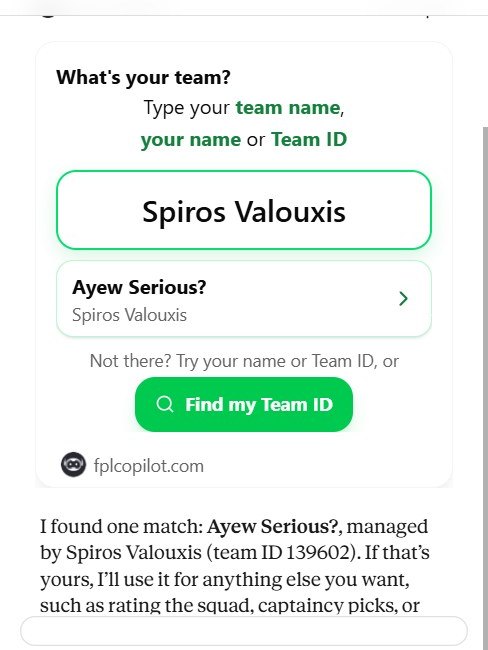
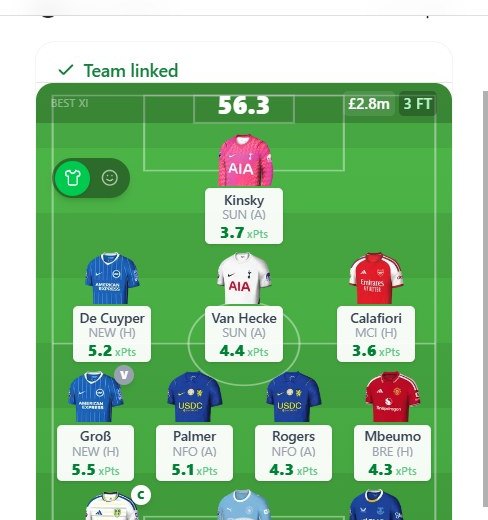
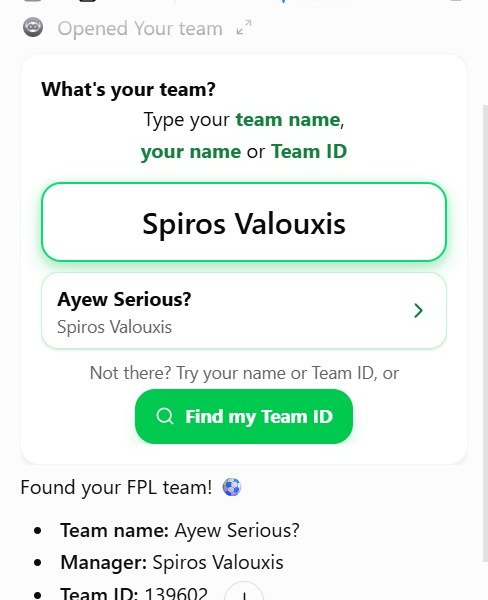
- Find your team by name. Type your team's name, your own name or your Team ID, tap your team, and the chat knows it from then on.
- Rate your team. A score out of 100 against the best squad you could own over the next five gameweeks, with your best XI on the pitch and each player's fixture.
- Plan your transfers. FPL Copilot's planner works out three paths over the next eight gameweeks with your bank and free transfers, keeping or leaving out the players you name. The first path shows in seconds and the other two join it on the card.
- Find players. The best players by position, price or club, ranked by projected points.
- Captain and mini-leagues. The best captain from your own squad, and your chances of winning your mini-league.
How to Add FPL Copilot to ChatGPT or Claude
- Tap Add to ChatGPT or Add to Claude above. It opens FPL Copilot's page in that assistant.
- Tap Add in ChatGPT or Connect in Claude. You need no account with FPL Copilot and never your FPL password.
- Ask "Find my FPL team, my name is" followed by your name, or "Rate my FPL team" with your Team ID.
Then keep going in plain words: "plan my transfers for the next eight gameweeks", "who should I captain?", "what are my chances in my mini-league?". Each answer comes with its card, and the chat keeps your team in view for the next question.
Is It Free, and What Does It See?
- Free. Adding FPL Copilot to ChatGPT or Claude costs nothing.
- Read only. It reads FPL data and suggests transfers and captains; you make the moves yourself on FPL.
- Only what it needs. It receives what its tools need, such as your Team ID or player names, never the rest of your conversation.
- One public action. A card's Share button publishes that card to a public fplcopilot.com page, and only when you press it.
FAQ
Is there an FPL plugin for ChatGPT?
Yes. FPL Copilot is in ChatGPT's plugin directory as fplcopilot: add it once and ask about your own team in any chat. The steps for both assistants are on the AI assistants page.
Can Claude help with my FPL team?
Yes, with the FPL Copilot connector: it finds your team, rates it and plans your transfers from FPL Copilot's projections, inside Claude.
Is FPL Copilot in ChatGPT and Claude free?
Yes. Adding it costs nothing and needs no account with FPL Copilot.
Does FPL Copilot change my FPL team?
No. It only reads FPL data. It suggests transfers and captains, and you make the moves yourself on FPL.
How do I find my FPL Team ID?
You don't need it: type your team's name or your own name and tap your team. On a computer, it is the number after /entry/ in the address of your FPL Points page, and Rate My Team finds your team the same way.
What does FPL Copilot see from my chat?
Only what its tools need, such as your Team ID or player names, never the rest of your conversation. The details are in the privacy policy.